

ViewWear AI Try-on for WooCommerce
Add a “Virtual Try-On” button to your WooCommerce clothing products. The shopper uploads a photo or uses their camera, and a few seconds later sees themselves wearing the product, in the colour and size they picked. Then they add it to the cart straight from the result.
Free AI option with Cloudflare Workers AI, no card needed. Works with any WooCommerce theme.
About 80 a day on a free Cloudflare account. No card, never billed.
Usually about 20 seconds until shoppers see themselves in the garment.
Right from the result, in the size and colour they tried.
Loads only where try-on is on, so the rest of your site stays fast.
How it works
Step 1
The shopper clicks “Virtual Try-On” and picks which product photo, colour and size to try.
Step 2
Upload, drag and drop, or use the camera. The photo is cropped around the shopper in their browser.
Step 3
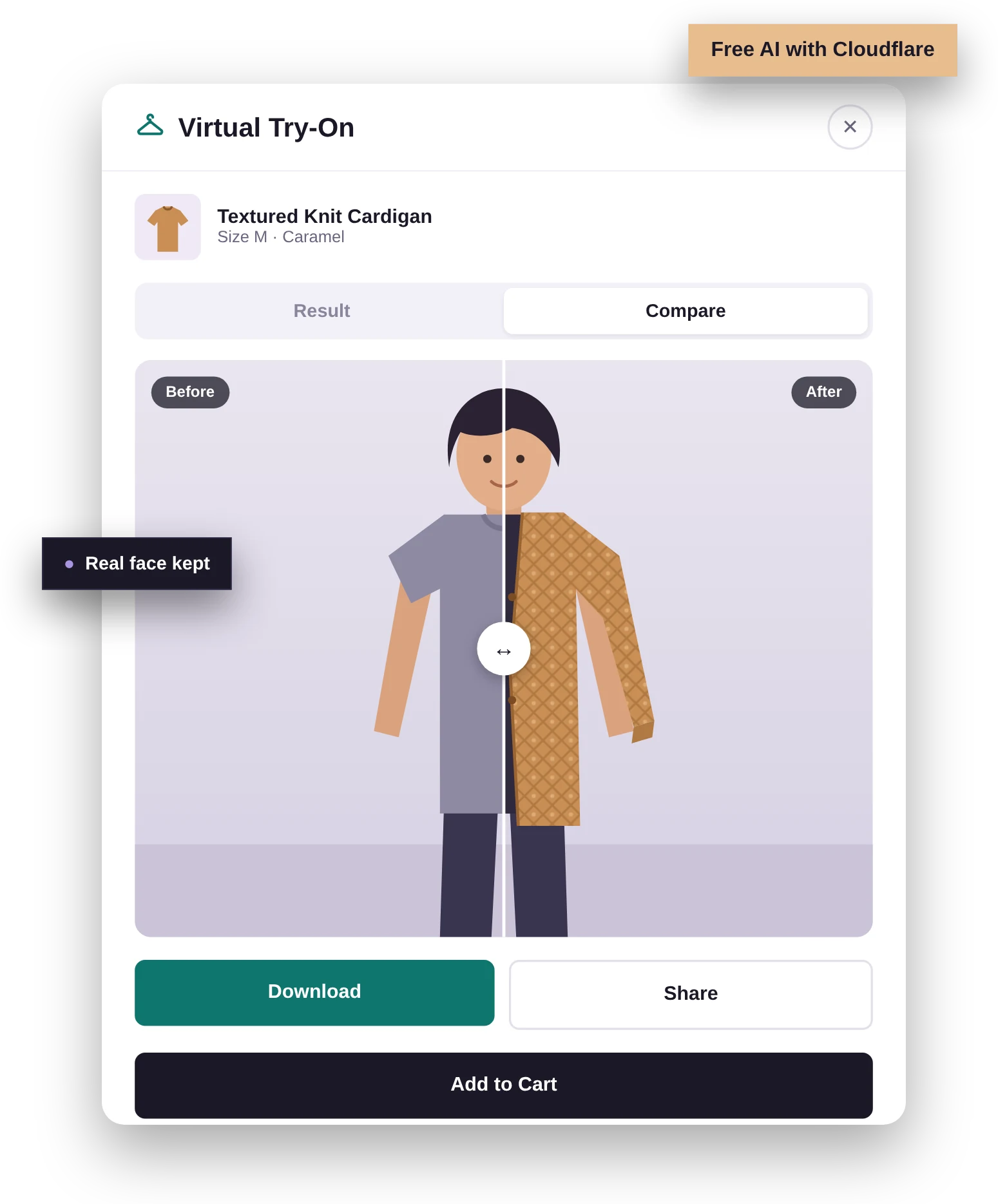
The AI dresses them in the garment, keeping their face, pose and body. Compare before and after.
Step 4
Buy the exact size and colour from the result, or download and share the picture.
Features
The free plugin is fully featured. Pro is a separate add-on that installs next to it.
Face crop and “keep the real face” run in the shopper’s browser, so results look like them, not the model.
Use your own free Cloudflare account (about 80 try-ons a day) or Google Gemini. Your keys, your account.
Before/after slider, side by side view, download, WhatsApp, Facebook, X and Pinterest sharing.
Limits per visitor, a wait between tries, a store-wide daily cap and an optional login requirement.
Consent box, suggested privacy-policy text, personal-data eraser and automatic deletion of try-on images.
Loads only on try-on products. Works with page caching, HPOS and the block cart and checkout.
Free vs Pro
Try-on popup, camera, compare, share, Add to Cart
Face accuracy (crop to shopper, keep real face)
Cloudflare Workers AI (free) and Google Gemini
All products, per product and bulk actions
Image settings and abuse protection
Analytics: try-ons, success rate, top products, failure reasons
Turn try-on on by product category
“Try On” links on shop and category pages
Shortcode for any page or page builder
“Try more products” after a try-on
Sales tracking: add to carts, orders and revenue from try-ons
Dashboard widget
Pricing
Yearly licence with updates. Needs the free ViewWear AI Try-on plugin.
5 sites
Unlimited sites
Secure checkout by Freemius. Prices in USD.
FAQ
Yes, with Cloudflare Workers AI. A free Cloudflare account includes a daily allowance of about 80 try-ons. When it runs out, try-ons pause until 00:00 UTC; on the free plan you are never billed. Google Gemini is also supported, but its image models are paid.
No. The free plugin has the full try-on experience, face accuracy, both AI services, image and abuse settings, and analytics. Pro adds categories, shop page links, a shortcode, “Try more products” and sales tracking.
Keep the free plugin installed and active, then upload the Pro zip from your purchase email under Plugins > Add New > Upload and enter your licence key under ViewWear > Pro licence.
Clothing: tops, shirts, jackets, dresses, trousers and full outfits. For the most faithful results, add a photo of just the garment (flat-lay, hanger or ghost mannequin) on the product.
It is only sent after the shopper ticks the consent box, to the AI service you chose. The original is not stored on your site, and the try-on picture is deleted automatically after the number of days you set.
Yes. The button appears on WooCommerce product pages in any theme, and with Pro the shortcode places it anywhere, including Elementor layouts.
Get started
Install the free plugin in minutes. Upgrade to Pro whenever you need it.
We use cookies to improve your experience on our site. By using our site, you consent to cookies.
Manage your cookie preferences below:
Essential cookies enable basic functions and are necessary for the proper function of the website.
These cookies are needed for adding comments on this website.
Google reCAPTCHA helps protect websites from spam and abuse by verifying user interactions through challenges.
Google Tag Manager simplifies the management of marketing tags on your website without code changes.
Statistics cookies collect information anonymously. This information helps us understand how visitors use our website.
Google Analytics is a powerful tool that tracks and analyzes website traffic for informed marketing decisions.
Service URL: policies.google.com (opens in a new window)
Clarity is a web analytics service that tracks and reports website traffic.
Service URL: clarity.microsoft.com (opens in a new window)
Marketing cookies are used to follow visitors to websites. The intention is to show ads that are relevant and engaging to the individual user.
Facebook Pixel is a web analytics service that tracks and reports website traffic.
Service URL: www.facebook.com (opens in a new window)
Google Maps is a web mapping service providing satellite imagery, real-time navigation, and location-based information.
Service URL: policies.google.com (opens in a new window)
Dugri Phase – 1, Urban Estate, Ludhiana Punjab, India