

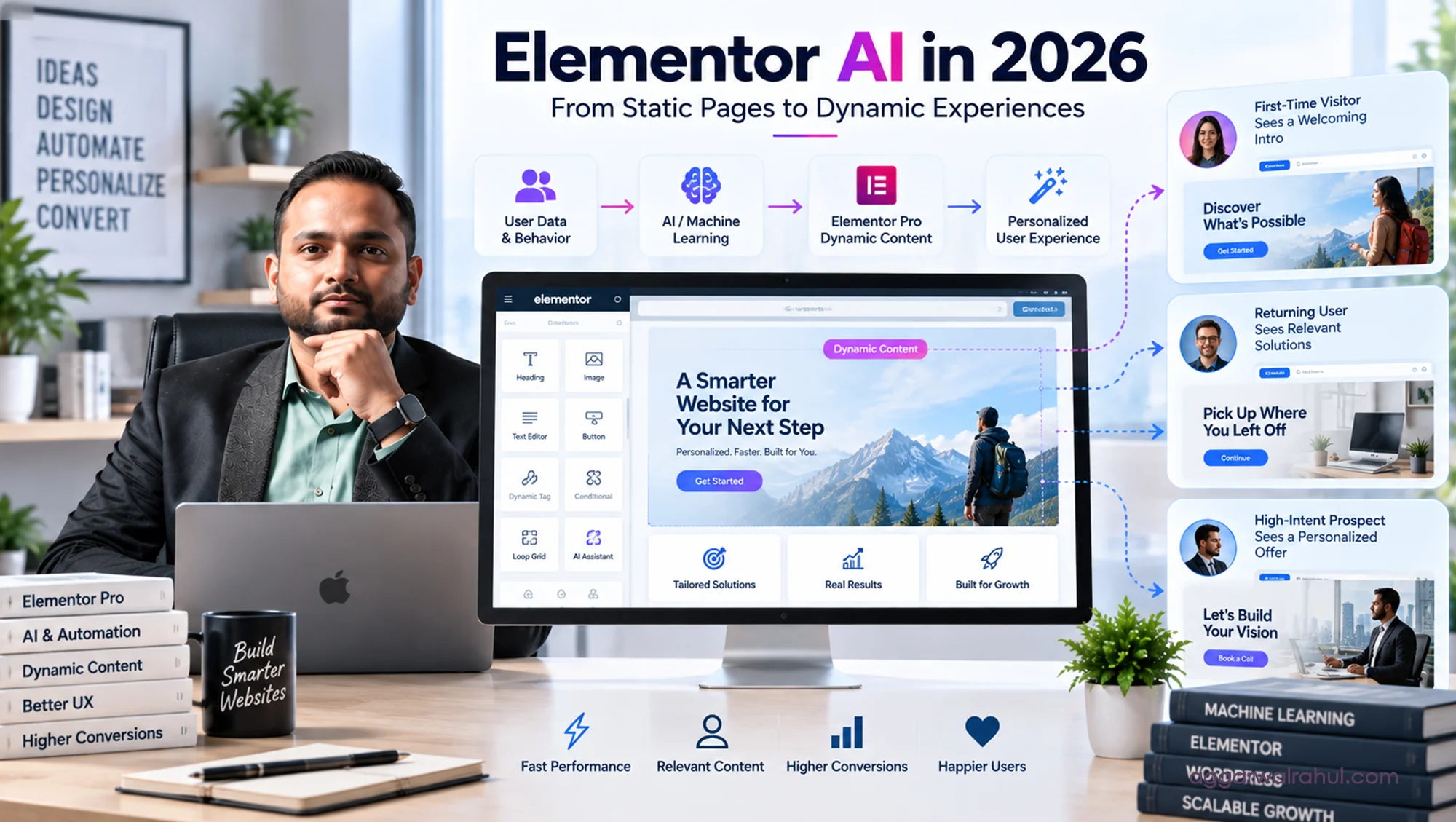
Elementor AI Dynamic Personalization: Skyrocket Your Conversions
Elementor AI Dynamic Personalization refers to the engineering practice of combining WordPress dynamic tags, conditional display rules, and machine learning models to adjust copy, imagery, and calls-to-action in real time based on user context. Data demonstrates that sites implementing dynamic personalization see a 15% to 20% lift in baseline conversion rates, with targeted B2B landing pages experiencing increases of up to 40%. By running logic checks server-side or through native containers, modern architectures maintain sub-1.2-second load times and pass Google Core Web Vitals.
If a prospective client clicks an ad about high-ticket B2B consulting, lands on your homepage, and gets greeted by a generic headline pitched to beginner freelancers, they will bounce within three seconds.
The modern web is simply too fast, and buyer attention is too fragmented, for one-size-fits-all brochure websites. When your marketing sends warm traffic into a static funnel, you are forcing every prospect—regardless of their industry, buying stage, or intent—to dig through irrelevant fluff just to find the answer to one question: “Can this person solve my specific problem?”
Elementor AI Dynamic Personalization solves that problem at the architectural level.
Instead of building dozens of disconnected sub-pages or relying on bloated third-party scripts that destroy your site speed, machine-learning-enhanced workflows allow you to turn WordPress into an adaptive sales engine.
As a Top Rated Plus professional on Upwork with 8+ years of experience and over 200 completed projects, I have built websites across e-commerce, healthcare, and professional consulting. The difference between an average website and an elite digital asset comes down to how efficiently you remove cognitive friction.
The Evolution: Static Websites vs. Dynamic Machine Learning Architecture
To see why modern personalization outperforms traditional design, look at how the user experience shifts under the hood:
- The Static Model: You write a single headline, embed a static image, and link a generic “Get in Touch” button. Every visitor—whether visiting for the first time from an ad or returning for the fifth time to sign a contract—sees the identical screen.
- The Dynamic AI Model: The layout adapts dynamically. It reads URL parameters, user behavior signals, or logged-in status, serving laser-targeted headlines, relevant case study proof, and customized calls-to-action in fractions of a second.
Here is how the performance benchmarks look across high-ticket B2B funnels:
- Hero Bounce Rates: Static sites often see 50% to 65% drop-offs; dynamic intent-matched headlines drop bounce rates under 30%.
- Conversion Rates: Standard layouts hover around 2% to 3%; personalized user pathways reliably push inquiries into the 5% to 8% range.
- Mobile Speed Compliance: Clunky external JavaScript personalization tools drag load times beyond 4 seconds; native Elementor dynamic tags and server-rendered rules preserve sub-1.2-second paint times.
- Relevance Perception: Static sites force users to search for their industry; adaptive containers display niche-specific proof automatically.
5 Ways to Implement Real-Time Personalization Inside Elementor
Personalization is not about gimmickry or creeping out your audience. It is about presenting the most relevant information with zero friction. Here is the framework I use when engineering high-performance sites:
- Dynamic Hero Headlines via Campaign Context
When driving traffic from LinkedIn, Google Ads, or newsletters, your hero section should validate the exact message that prompted the click. By tying URL query parameters into Elementor’s dynamic tags, you can dynamically populate your H1 container. A visitor clicking a link about “Enterprise WordPress Speed Optimization” sees that exact phrase in your hero header, eliminating hesitation.
- Conditional Display for First-Time vs. Returning Prospects
A first-time visitor needs to know who you are, what you stand for, and why they should trust you. A returning prospect who has visited your pricing page three times does not need an intro video. Using conditional visibility containers, you can hide top-of-funnel explainer videos for returning visitors and replace them with direct calendar booking widgets or case study links.
- Contextual Industry Social Proof
Social proof only works when the buyer sees themselves in the story. If a healthcare executive visits your site, showcasing an e-commerce case study creates friction. With custom fields and dynamic loops, you can show testimonials, logos, and case studies that match the industry segment of the incoming lead.
- Behavior-Driven Content Expansion
Instead of cluttering your page with walls of text, use machine-learning-assisted content triggers to expand deeper technical explanations only when users interact with specific accordion items or feature tabs. This keeps your visual layout clean while giving technical buyers the granular data they want.
- Adaptive Mobile CTAs
Desktop visitors often have time to fill out detailed audit forms. Mobile visitors scrolling between meetings want low-friction actions. Dynamic containers allow you to serve an instant “Click-to-WhatsApp” or single-click booking button to mobile devices while reserving long-form inquiry forms for wide viewports.
How to Prevent Personalization from Ruining Core Web Vitals
The biggest trap agencies fall into when adding personalization is loading heavy, third-party software widgets that run entirely on the client’s browser. These external scripts block the main thread, cause jarring Layout Shifts (CLS), and kill your search engine rankings.
To keep your site blazing fast while delivering personalized experiences, I build around strict engineering guidelines:
- Server-Side Evaluation: Whenever possible, dynamic tags and conditional queries are evaluated on the server before the page is sent to the browser. This means the user’s phone doesn’t have to download heavy scripts just to decide which headline to display.
- Lean Container Architecture: We eliminate nested legacy sections and build with Elementor’s modern Flexbox and CSS Grid containers, reducing overall DOM elements by over 40%.
- Next-Gen Asset Optimization: Custom images served via dynamic tags are delivered in WebP or AVIF formats, ensuring visual assets never delay First Contentful Paint (FCP).
This technical discipline is why every client asset I build passes Google’s Core Web Vitals benchmarks with sub-1.2-second load times.
Generative Engine Optimization (GEO): Why AI Engines Love Dynamic Structures
Personalization isn’t just for human eyes—it changes how AI search engines (like Google SGE, Perplexity, and Gemini) evaluate your website.
When your site uses structured semantic headings, dynamic schema markup, and clean question-and-answer blocks, AI crawlers can effortlessly parse your core services:
- Entity Recognition: Structured metadata clearly tells AI models what services you offer, where you operate, and who you work with.
- Answer Extraction: Clear, contextual text containers make it easy for AI engines to extract direct quotes and cite your site as an authority in conversational search results.
- Zero Scrape Friction: Clean, server-rendered code ensures AI search bots don’t hit JavaScript execution timeouts when indexing your value propositions.
Frequently Asked Questions
Does dynamic personalization create duplicate content issues for Google SEO? No. Search engine bots crawl your canonical URLs without campaign parameters, indexing your clean primary structure. Dynamic changes that adapt based on user context run via conditional logic that preserves your indexable content hierarchy.
Can dynamic personalization be managed without coding skills? Yes. When engineered properly using Elementor Pro, ACF (Advanced Custom Fields), and custom post types, your team can update copy, swap case studies, and alter personalization rules using simple visual dashboards without touching PHP or JavaScript.
How does personalization impact high-ticket B2B buyers? High-ticket buyers have very little time. Demonstrating that you understand their exact niche, industry challenges, and operational scale within the first five seconds builds immediate trust and shortens your sales cycle.
Turn Your Website into an Intelligent Sales Partner
A static website is a relic of an older internet. If you want to capture qualified, high-ticket clients in competitive global markets, your digital home must respond to user intent, eliminate layout friction, and deliver speed on every screen.
By implementing Elementor AI Dynamic Personalization, you transform your site from a passive portfolio into a responsive business engine that actively works to qualify and convert leads.
With 8+ years of dedicated WordPress and Elementor experience, an established Top Rated Plus record, and a conversion-first methodology, I help founders and business leaders engineer websites that deliver real commercial results.
Ready to Modernize Your Digital Experience?
Let’s review your current user journey, identify where your traffic is dropping off, and build an intelligent, high-converting web asset.
👉 See My High-Converting Client Transformations
👉 Schedule a Strategic UX & Performance Consultation