

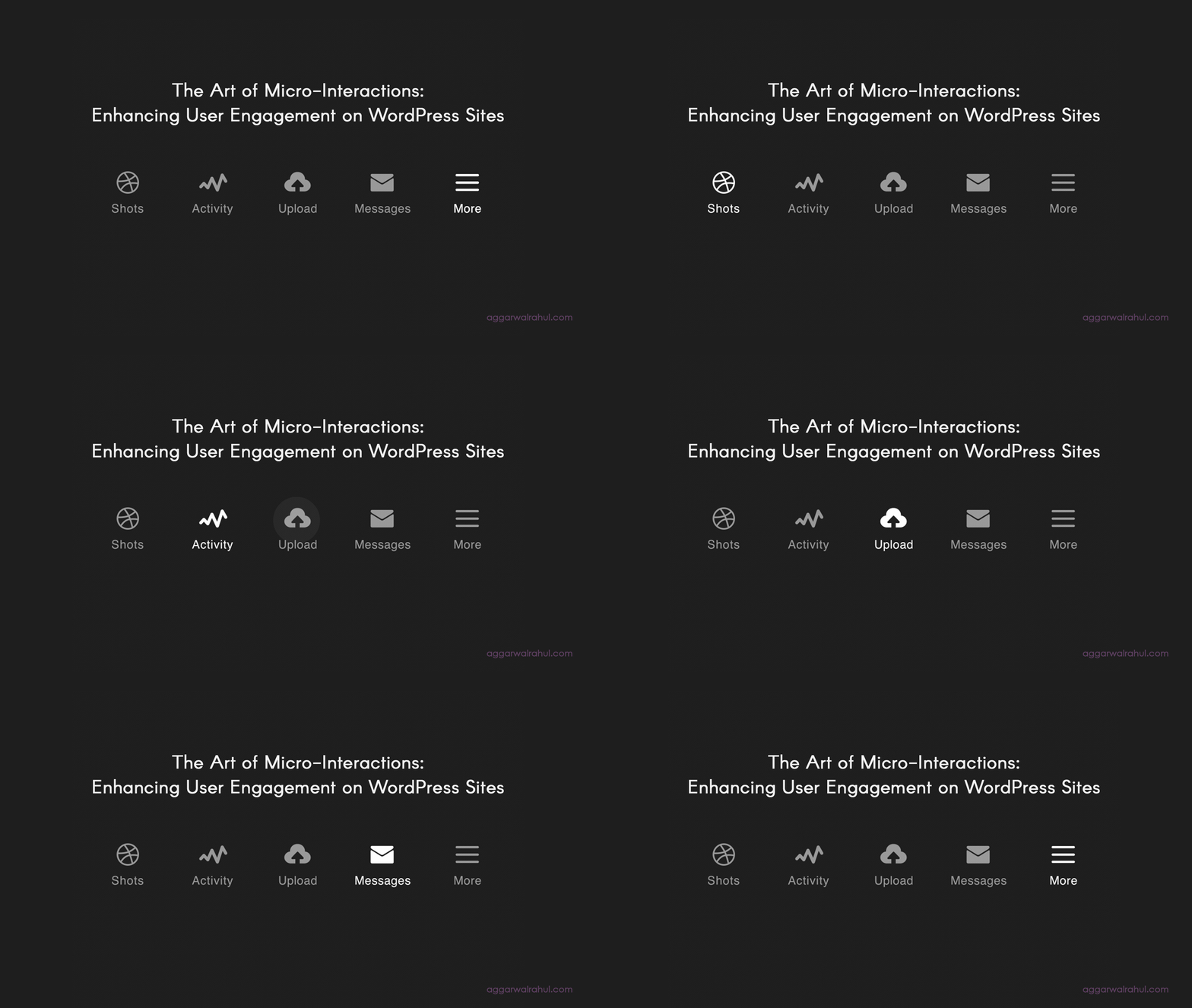
In the vast digital landscape, where every website vies for a visitor’s attention, the difference between a good website and a great one often lies in the details. It’s not just about a clean layout or stunning visuals; it’s about the subtle, almost subconscious moments that delight and guide a user. This is the art of micro-interactions. If you’re a business owner or developer working with WordPress, mastering these small design elements is the key to creating a truly engaging and memorable user experience.
This comprehensive guide will delve into the subtle yet powerful world of micro-interactions for WordPress. We’ll explore how these seemingly minor animations, sounds, and visual cues can significantly boost user engagement, improve retention, and ultimately, drive your business goals.
- The Art of Micro-Interactions: Enhancing User Engagement on WordPress Sites
At its core, a micro-interaction is a small, contained moment of user interaction on a website. It is designed to accomplish a single task and provide immediate feedback. Think of the subtle “like” animation on social media, the small checkmark that appears when you successfully submit a form, or the pulse of a button as you hover over it. These moments are everywhere, and they are crucial to a seamless user experience.
The magic of micro-interactions lies in their ability to make a website feel responsive, intuitive, and alive. They bridge the gap between human action and digital reaction, providing a sense of control and clarity. For a user, it’s reassuring to know their click was registered, their submission went through, or an item was successfully added to their cart. This immediate, positive feedback builds trust and reduces frustration.
Why Micro-Interactions Matter for Your Business
While micro-interactions may seem insignificant, their collective impact is monumental. On a WordPress site, where you want visitors to book appointments, make purchases, or simply spend more time engaging with your content, these subtle cues are powerful tools. They work by:
- Providing Instant Feedback: They tell the user exactly what is happening in a clean, non-disruptive way.
- Creating a Feeling of Control: When a user knows their action has a clear consequence, they feel more in control of the digital environment.
- Adding Delight: Unexpected or beautiful animations can make the user smile and create a positive brand association.
- Guiding Users Towards Goals: A pulsing button or an arrow that subtly shifts can draw the eye towards a key call to action, improving your conversion rates.
In the following sections, we will explore some amazing examples and practical ways you can implement micro-interactions for WordPress to create a better website.
- The Psychology Behind Micro-Interactions
Our brains are hardwired to recognize cause and effect. When we perform an action, we expect a reaction. A micro-interaction fulfills this fundamental human need for a feedback loop. When a user clicks a button, and the button provides a subtle animation, it confirms that their action was successful. This confirmation is incredibly satisfying on a psychological level, reinforcing positive behavior and encouraging continued engagement.
Think of it as a conversation between the user and your website. Without micro-interactions, the conversation is one-sided. The user clicks a button and is left wondering, “Did that work?” With them, the website can reply, “Yes, I heard you! I’m on it.” This simple exchange builds a sense of dialogue and trust, making the user feel seen and understood.
From an emotional standpoint, a well-executed micro-interaction can evoke a feeling of “delight.” This is the feeling of pleasant surprise when a digital experience goes above and beyond a user’s basic expectations. Delight leads to brand loyalty and a more memorable user experience.
- Enhancing User Engagement on WordPress Sites with Feedback
Providing clear and immediate feedback is one of the primary functions of micro-interactions. On a WordPress website, this is especially important for forms, e-commerce checkouts, and navigation.
Form and Input Field Feedback
Forms are a critical part of most websites, from contact forms to booking an appointment. Without proper feedback, they can be a source of frustration.
- Validation: When a user enters incorrect information, a simple error message is standard. A micro-interaction, however, can make this feedback more immediate and intuitive. For example, a form field that shakes slightly when the user enters an invalid email address. This visual cue tells them something is wrong before they even try to submit the form.
- Success: When a user successfully submits a form, a small checkmark animation or a short, sweet message like “Success!” can make the moment feel more satisfying.
Button and Link Feedback
Buttons and links are the most common interactive elements on any website. Micro-interactions can make them feel more dynamic and responsive.
- Hover Effects: When a user hovers over a button, it should respond. This could be a color change, a subtle shadow that appears, or a gentle “pop” animation. This simple effect tells the user, “I am clickable.”
- Click States: After a user clicks a button, you can provide a micro-interaction that indicates the button is being processed. This can be a loading spinner or the button momentarily disappearing and reappearing with a different color. This is especially useful for actions that take a moment to process, like adding an item to a cart or booking a service.
- Common Micro-Interactions You Can Implement
While the possibilities are endless, here are some of the most common and effective micro-interactions you can start using on your WordPress website today.
- Hover Effects on Icons and Images: When a user hovers over a social media icon, a subtle color change or a small jump can make it feel more interactive. For images in a gallery, a slight zoom-in effect on hover can draw the user’s eye and encourage them to click.
- Loading and Progress Indicators: Instead of a static loading screen, use a captivating animation or a progress bar that fills up. This reassures the user that the page is loading and makes the wait feel shorter.
- Toggle Switches: When a user clicks a toggle, the switch should animate smoothly from “off” to “on.” This clear visual feedback is much more intuitive than a simple change of state.
- “Add to Cart” Feedback: After a user clicks “Add to Cart,” a classic micro-interaction is to have the product image briefly shrink and “fly” into the cart icon. This provides a satisfying visual confirmation that the item was added.
- Notifications: When a new notification appears, a quick bounce or a gentle fade-in can draw the user’s attention without being overly intrusive.
- Tools and Plugins for Implementing Micro-Interactions
You don’t need to be a coding wizard to add micro-interactions to your WordPress site. There are numerous tools and plugins that can help you achieve stunning effects.
- Elementor Pro: As discussed in a previous post, Elementor is a powerful page builder with built-in motion effects and a Lottie widget that makes it easy to add professional animations. You can create subtle hover effects, entrance animations, and more with just a few clicks.
- Custom CSS and JavaScript: For more control, a custom CSS and JavaScript approach allows you to create unique and tailored micro-interactions. You can add simple transitions and transforms for hover effects or write more complex scripts for form validation and other behaviors.
- Dedicated Plugins: The WordPress plugin repository has several plugins specifically designed for adding micro-interactions. You can find plugins for adding animated page loaders, custom cursor effects, and more.
- The Impact on User Retention and Conversions
The ultimate goal of any website is to convert visitors into customers. Micro-interactions play a crucial, albeit subtle, role in this process. By making a website feel intuitive and delightful, you build trust with the user. A user who trusts your website is more likely to engage with your content, fill out your forms, and complete a purchase.
Furthermore, a website that feels professional and responsive encourages users to stay longer. If every interaction is smooth and satisfying, visitors will be more likely to browse other pages and explore what you have to offer. This increased time on site can reduce your bounce rate and signal to search engines that your content is valuable, which can improve your search rankings. Ultimately, well-executed micro-interactions for WordPress can directly contribute to higher conversions and better business outcomes.
- Best Practices: How to Master Micro-Interactions
While adding micro-interactions is a great idea, it’s essential to do it correctly. Here are some best practices to ensure your small designs make a big impact:
- Keep it Subtle: The most effective micro-interactions are often the ones you don’t consciously notice. They should complement the user’s action, not distract from it. A website that is a constant assault of flashing buttons and animations is overwhelming and can drive users away.
- Maintain Consistency: Use a consistent style for your micro-interactions across your entire website. If your buttons animate on hover with a fade effect, all your buttons should do the same. This creates a cohesive and predictable experience that builds user confidence.
- Focus on Speed: Micro-interactions should be instantaneous. If there is a noticeable delay between a user’s action and the animation, it will be more frustrating than helpful. Ensure your code is optimized and your animations are lightweight.
- Enhance, Don’t Obscure: A micro-interaction should add to the user’s understanding, not hide important information. For example, a loading animation should not cover up a key message or button that the user needs to see.
- Design for Mobile: Always test your micro-interactions on mobile devices. What looks good on a desktop may be too distracting or slow on a smaller screen. Ensure your designs are responsive and accessible on all devices.
- The SEO Benefit: Micro-Interactions & Core Web Vitals
It’s no secret that Google prioritizes user experience in its search ranking algorithms, and Core Web Vitals are the key metrics it uses to measure this. While micro-interactions may seem purely aesthetic, they play a crucial, indirect role in these scores. By providing visual feedback, they can improve user perception of speed and responsiveness, which can impact metrics like Largest Contentful Paint (LCP) and First Input Delay (FID).
For example, a button that provides a subtle loading animation after a click can reassure a user that a process is underway, even if the backend is taking a moment to load. This reduces the user’s perceived wait time and can prevent them from clicking away in frustration, which can improve your bounce rate and overall user engagement signals. When implemented thoughtfully, micro-interactions can contribute to a better, more responsive user experience that search engines will notice and reward.
- Micro-Interactions and Accessibility
When implementing micro-interactions, it is crucial to consider accessibility for all users, including those with disabilities. Animations and movements that are too fast, abrupt, or distracting can be problematic for people with vestibular disorders or cognitive impairments. Here’s how to ensure your micro-interactions are inclusive:
- Provide a Pause/Stop Option: For animations that run on a loop, give users the ability to pause or stop them. This is especially important for hero sections or loading animations.
- Use the prefers-reduced-motion CSS Media Query: This is a crucial accessibility feature. It allows you to create a simpler, non-animated version of your website for users who have requested reduced motion in their operating system settings.
- Avoid Flashing Effects: Flashing effects can be a trigger for seizures. Avoid them completely, or ensure they do not exceed a certain frequency (generally, more than three flashes within one second).
- Use Subtle, Purposeful Motion: Animations that are subtle and directly tied to a user’s action are generally safe and helpful. The key is to use motion to guide and inform, not to distract or overwhelm.
- Testing Your Micro-Interactions for Success
Once you’ve implemented your micro-interactions, the work isn’t over. To ensure they are truly effective, you must test them.
- Cross-Browser and Cross-Device Testing: Test all your animations on different browsers (Chrome, Firefox, Safari) and devices (desktop, tablet, mobile). What looks great on one might be a broken mess on another.
- User Feedback: The best way to know if your micro-interactions are successful is to ask your users. Conduct simple usability tests or gather feedback. Are your users noticing the animations? Do they feel guided by them? Are they annoyed by them?
- A/B Testing: For critical micro-interactions (like on a “Buy Now” button), consider running A/B tests. Compare the version with the animation to a version without it to see which one performs better in terms of conversions. This data-driven approach can prove the real value of these small changes.
Conclusion
In the world of web design, it’s often the small details that leave the biggest impression. By mastering the art of micro-interactions for WordPress, you can transform your website from a simple collection of pages into a truly engaging and intuitive experience. These subtle moments of feedback, delight, and guidance are what make users feel valued and understood, leading to better engagement, higher retention, and a stronger brand.
As you continue to refine your website, remember that every click, hover, and tap is an opportunity to communicate with your user. By adding purposeful micro-interactions, you can make that conversation a delightful one, ensuring your website stands out in a crowded digital world.
Book an Appointment
Ready to create a website that not only looks amazing but also captivates and converts your visitors?
If you are looking for a WordPress and Elementor expert to design a website that leverages micro-interactions to tell your brand’s story and achieve your business goals, let’s connect! I specialize in building high-performance, conversion-focused websites that stand out.